Widgets
Put your mission, the Verse of the Day or the habits you have kept today on your Home Screen and Lock Screen.

For iPhone, iPad and Apple Watch
The daily guide for Christian men. Scripture, prayer, a private journal, habits and health in one app, all pointed at what God made you for.
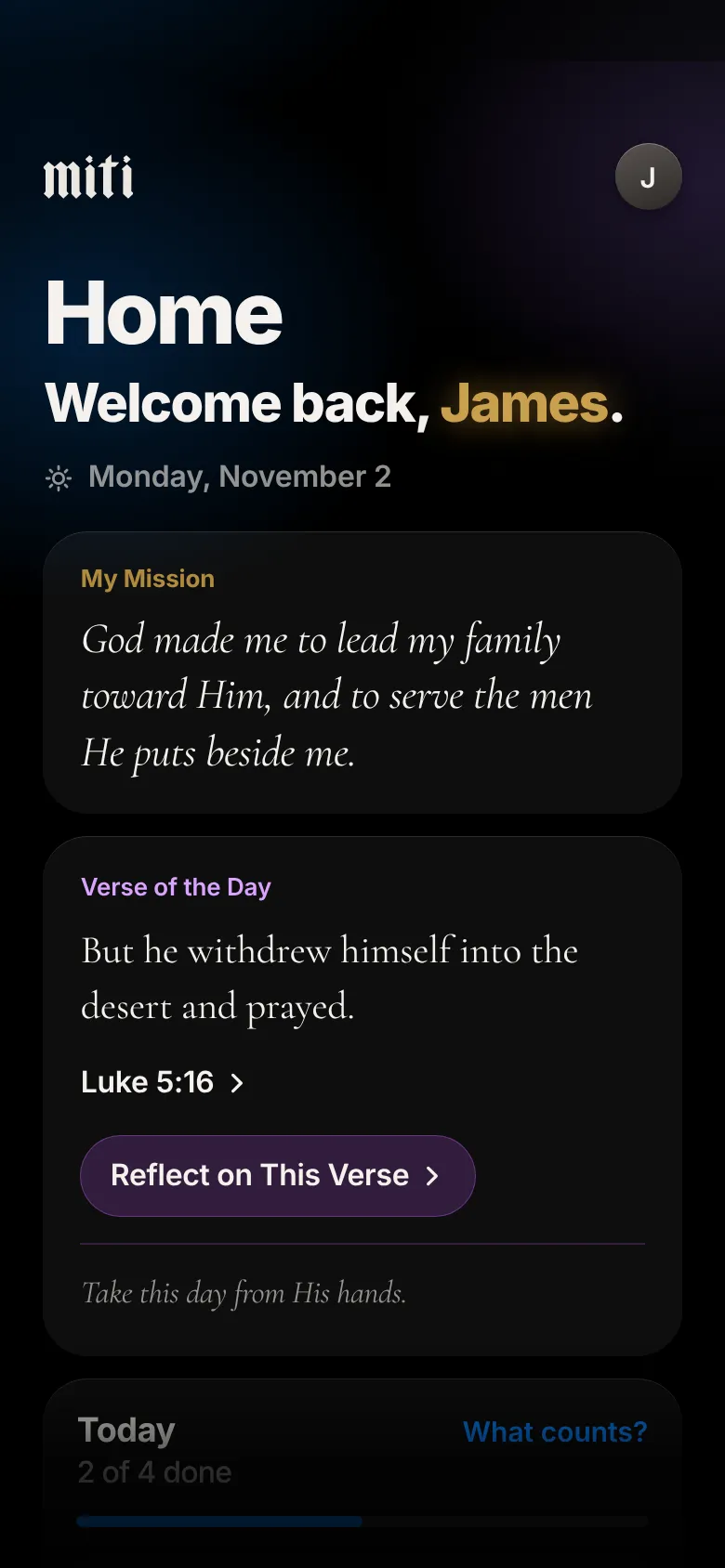
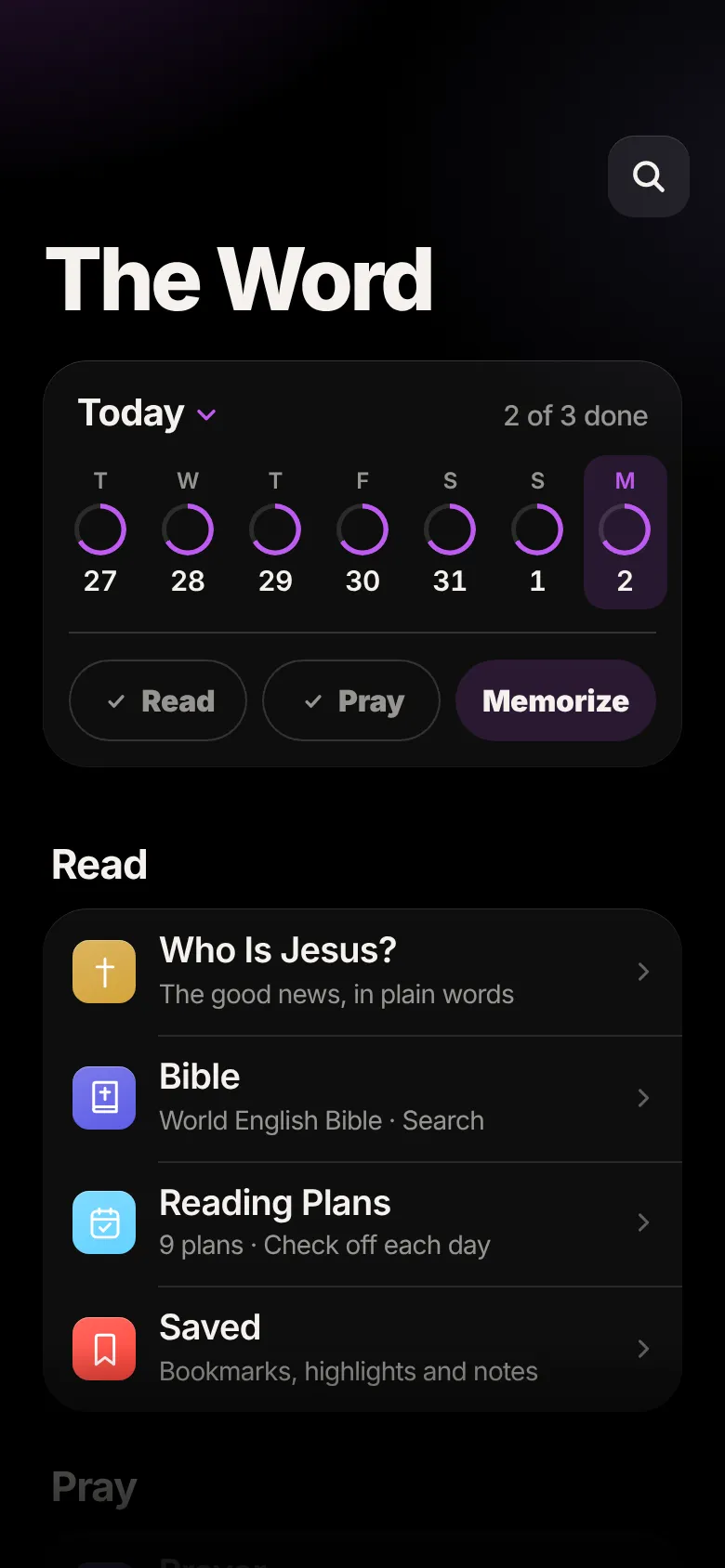
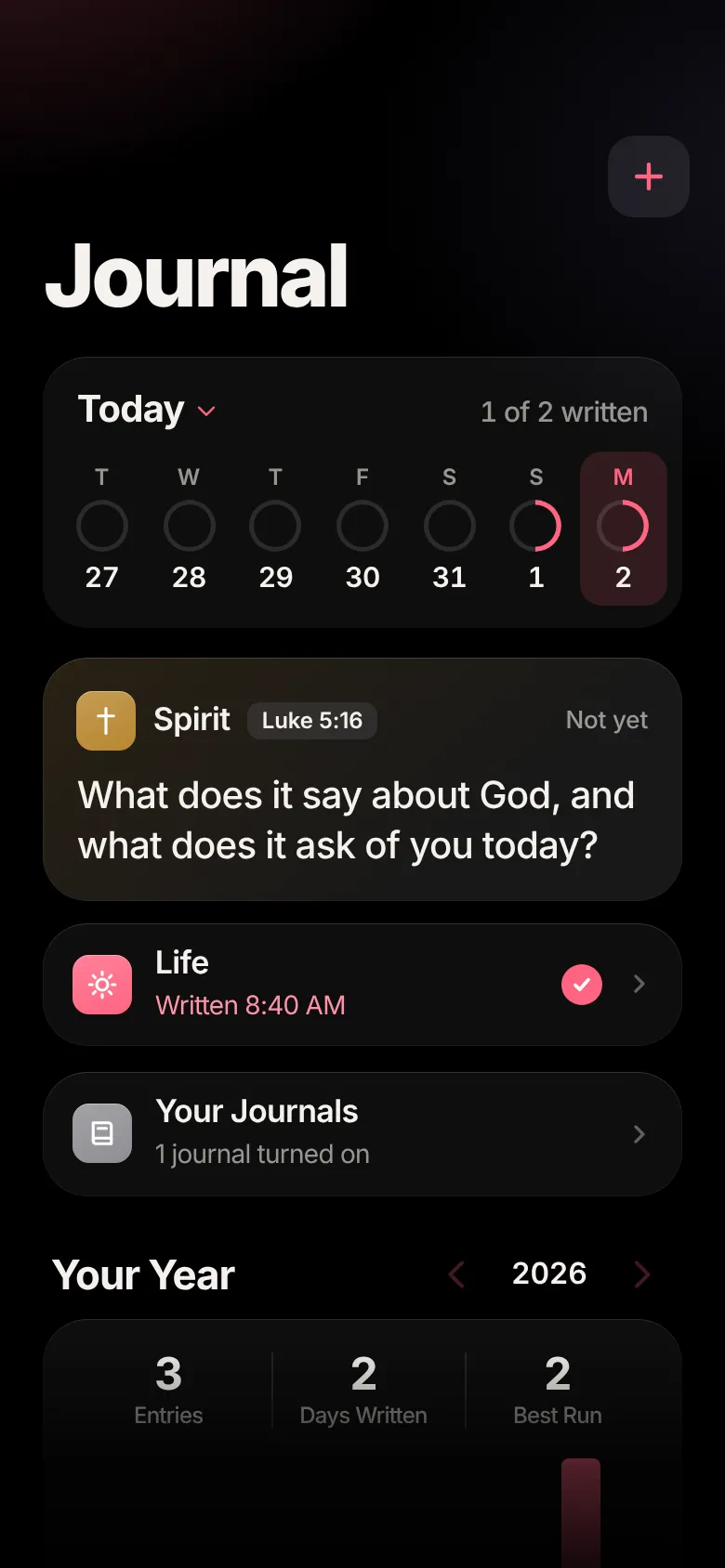
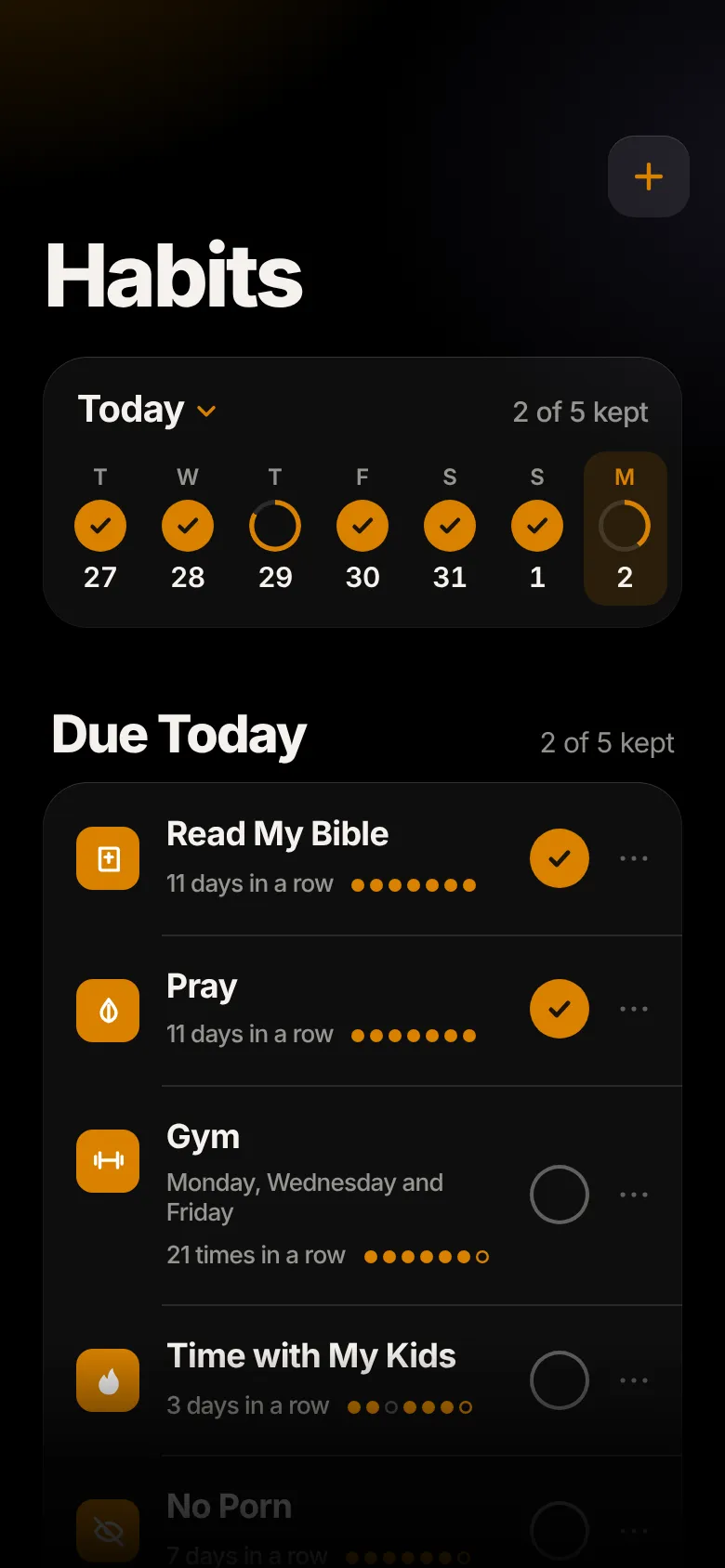
Your Daily Tool
Home, The Word, Journal, Habits and Health. A few honest minutes in each, every day, all pointed at the calling you pray through and write for yourself.
Tap a tab, or press, hold and slide.Click a tab, or press, hold and drag.
iPhone, iPad and Apple Watch
Miti is a real app, made for the Apple devices you already carry. Your mission, your reading, your habits and your workouts go with you from your iPad to your iPhone to your wrist, in the same words and the same colors.
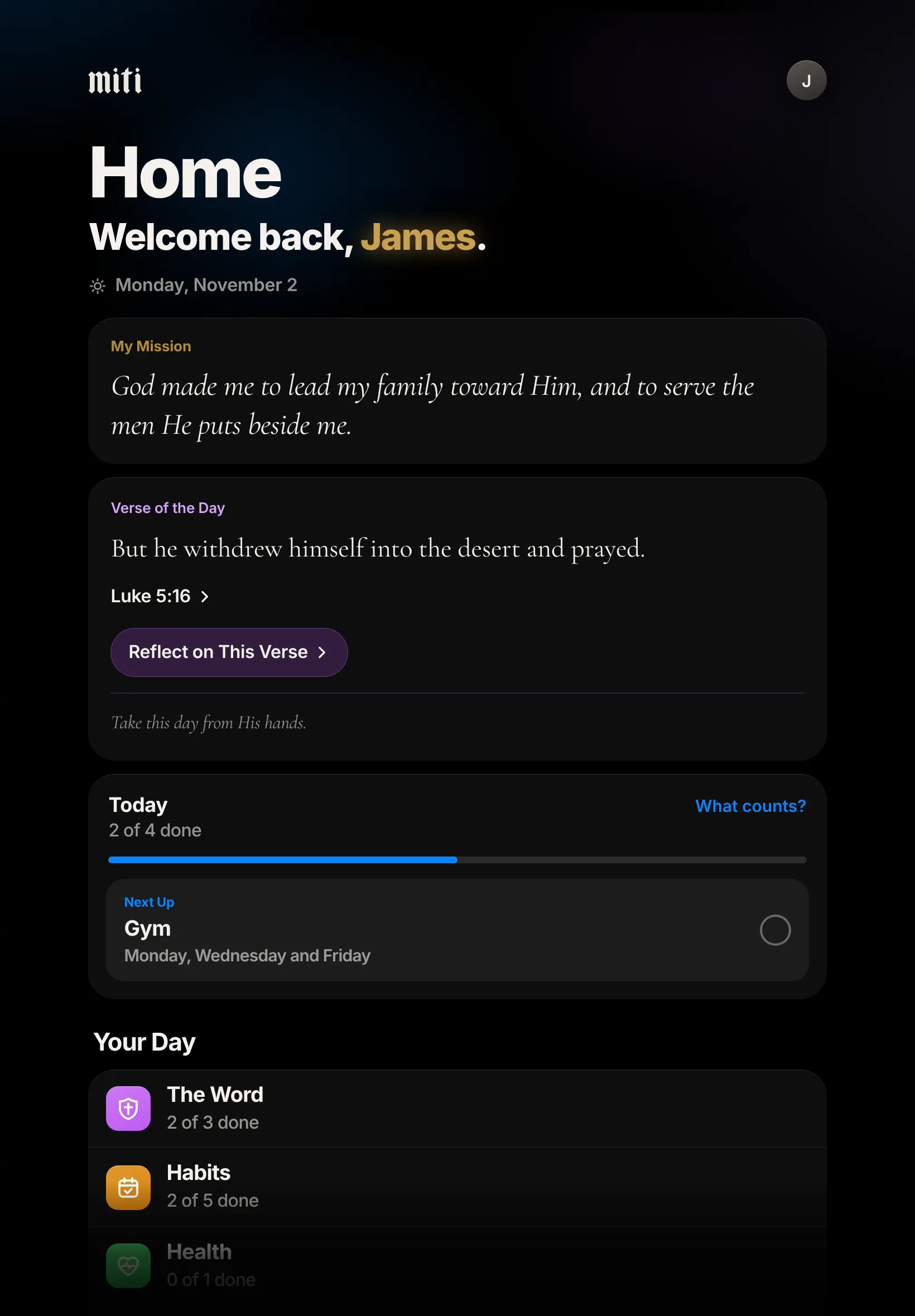
Monday, November 2 Luke 5:16
9:41
God made me to lead my family toward Him, and to serve the men He puts beside me.

Morning Offeringnow
Before the day gets loud, give it to God.
 10:09
My Mission
God made me to lead my family toward Him, and to serve the men He puts beside me.
The sentence you write in Miti is the first thing on Home, on your Lock Screen and on your watch face.
What you add on your iPhone is waiting on your iPad. Every set you log on your Apple Watch lands in Miti on your iPhone.
Each part of Miti keeps its own color everywhere, so you always know where you are.
Lost. Unmotivated. Scared. Prideful. Helpless. Weak. You’re not the only one.
Most men carry at least one of these and never say it out loud. That isn’t the end of your story. It’s where honest men start.
The Honest Questions
Fame?
The crowd moves on by morning.
Wealth?
It never says enough.
Sex?
Pleasure can’t tell you who you are.
The Better Question
What does it mean to be made in His image?

“God created man in his own image. In God’s image he created him; male and female he created them.”
Genesis 1:27
What It Means
Being made in His image isn’t a slogan. It reaches who you are, how you work, how you love and how you fight. Miti is a guide as you seek what it means, one day at a time.
You are made by God and loved by Him before you achieve anything. Start there.
You carry His name into your home, your work and your friendships. My Calling guides you to pray over what He asks and put it into words.
Rule your habits and your body, so they don’t rule you.
Strength is for serving: your family, your friends and the man who needs a hand.
Not a perfect man. A man becoming, slowly and for real, more like Him.
My Calling
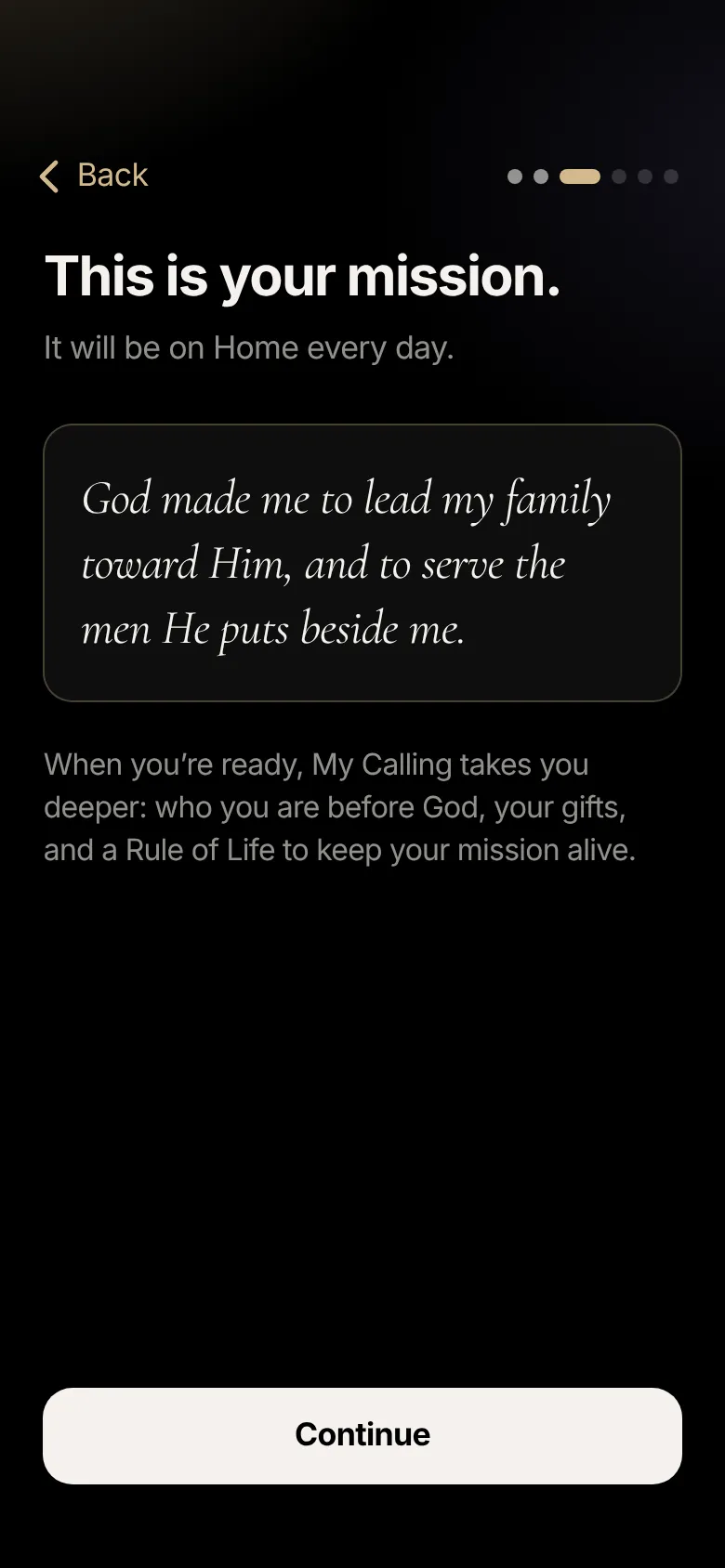
Every man is made for something. The first time you open Miti, it begins there: you were made on purpose. Choose the roles God has given you, then name your mission in one sentence, starting with “God made me to…” It is the first thing you see on Home every day. When you’re ready, six short steps with Scripture take you deeper.
Loved by God before you do anything.
Son, husband, father, worker, friend. What God asks in each.
What He has given you, and what He is healing.
What breaks your heart, and who is in front of you.
One or two sentences, in your own words.
The few practices that keep it alive, in one tap.
“For we are his workmanship, created in Christ Jesus for good works, which God prepared before that we would walk in them.”
Ephesians 2:10
Your mission in a minute. The six steps at your own pace.
The Word
The whole Bible, guided studies, reading plans and prayer, in one place, built for a few honest minutes a day. Miti remembers where you left off.
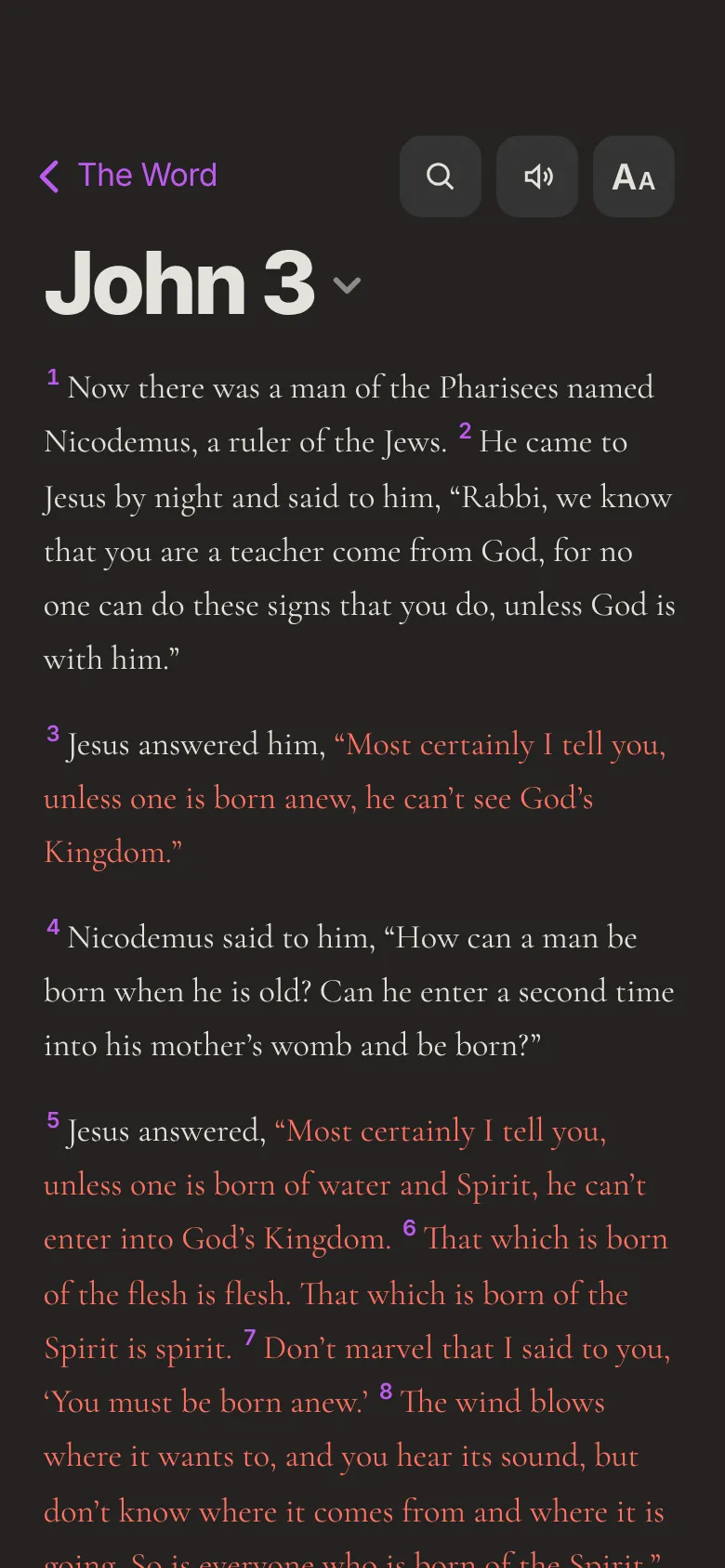
The whole Bible in plain, modern English. Search it, highlight in five colors, bookmark and take notes. Save it to your phone and it opens with no signal.
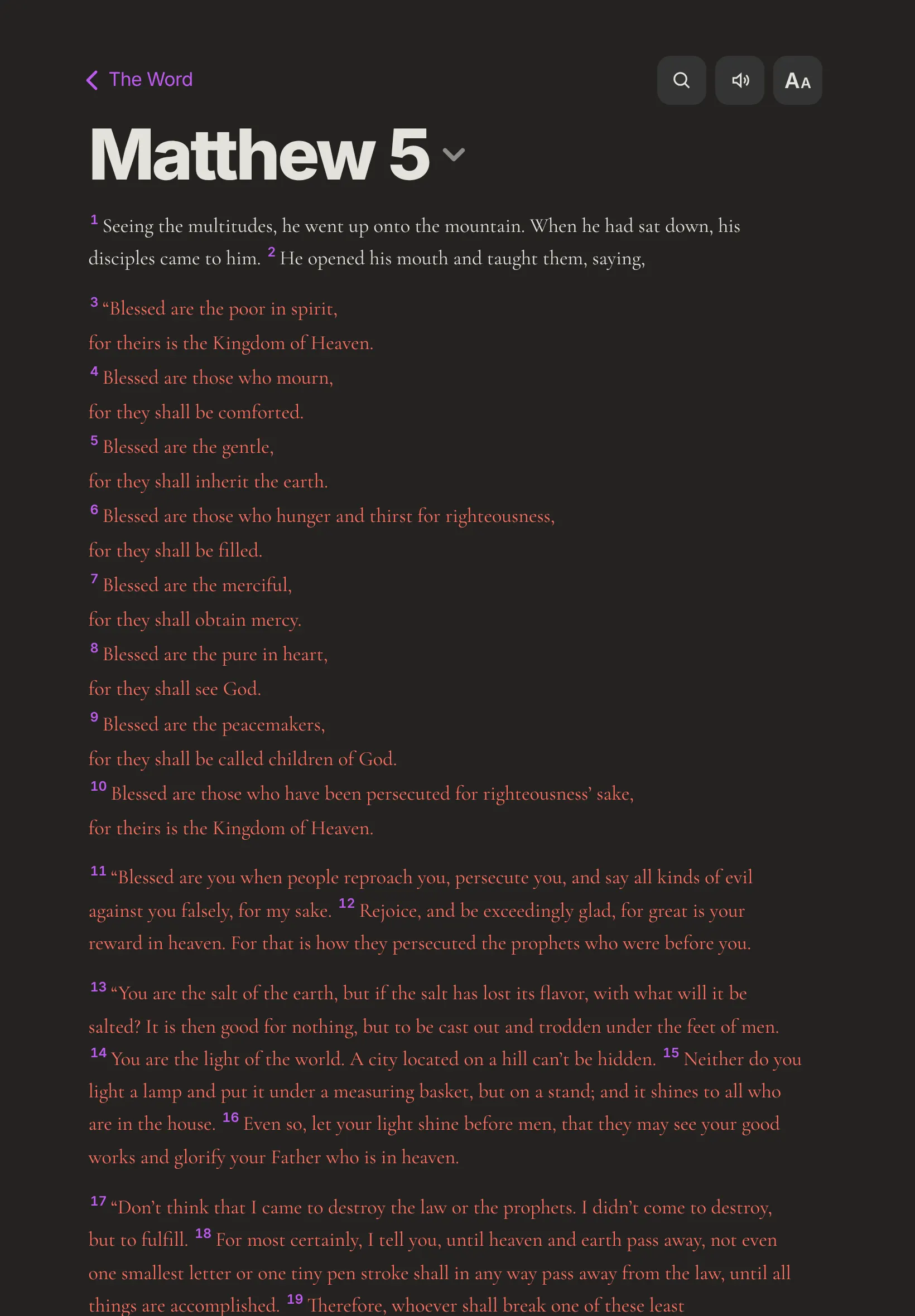
Read on the page that suits your eyes: Original, Paper, Calm or Quiet, in Dark or Light. Turn on red letters and the words of Jesus show in red, the way many printed Bibles do.
Tap Listen and Miti reads the chapter aloud, verse by verse, even with your iPhone on Silent.
Read the passage, reflect on where it meets your life, then take one real step.
From Meet Jesus in 21 days to the Bible in a Year. Check off each day as you go.
Guided prayer, 21 prayers to pray, and a list of the people you are praying for. Mark each prayer God answers.
For the hard moment: a verse, a short prayer and what to do right now.
Learn the verses you save by heart, one step at a time.
“Your word is a lamp to my feet, and a light for my path.”
Psalm 119:105
Journal
Keep the journals you want, and turn off the rest. Type it, write it with Apple Pencil, or add a photo of the page. Lock it with Face ID. Private to you.
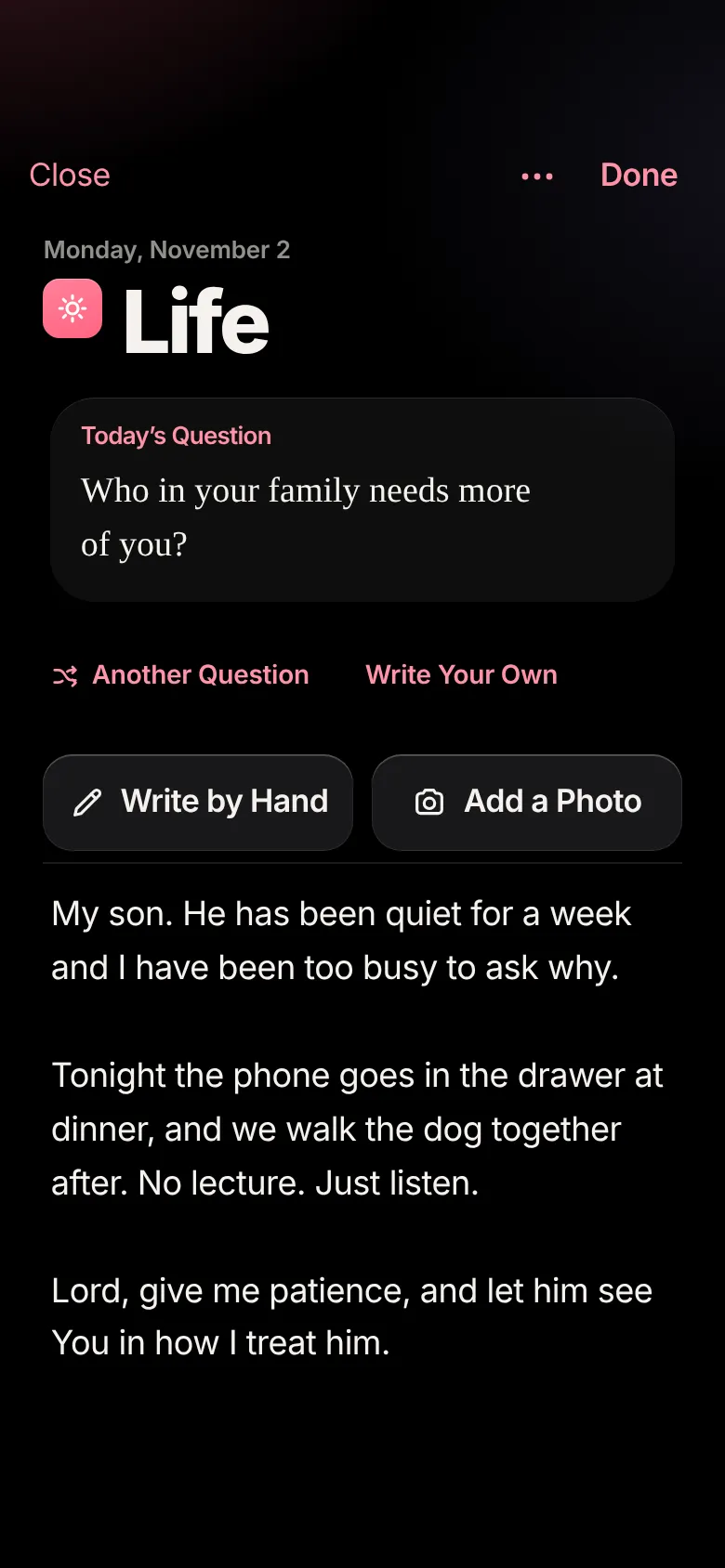
A question for your life and one for your soul, every day.
The highlight of your day in a sentence or two.
Everything you did today, one line at a time.
What you are thankful to God for.
Empty your mind onto the page, as often as you need.
Write with Apple Pencil on iPad, or with your finger on iPhone. Miti turns your handwriting into text, right on your device.
Start one from scratch, or begin with a Prayer Journal, Sermon Notes, Fatherhood, Marriage, Work as Worship or Fasting.
Habits
Your Rule of Life becomes your habits in one tap, each tied to the people it is for. Daily habits come up every day. Weekly and monthly ones only come up on the days you choose, so you never answer for a goal that isn’t due.
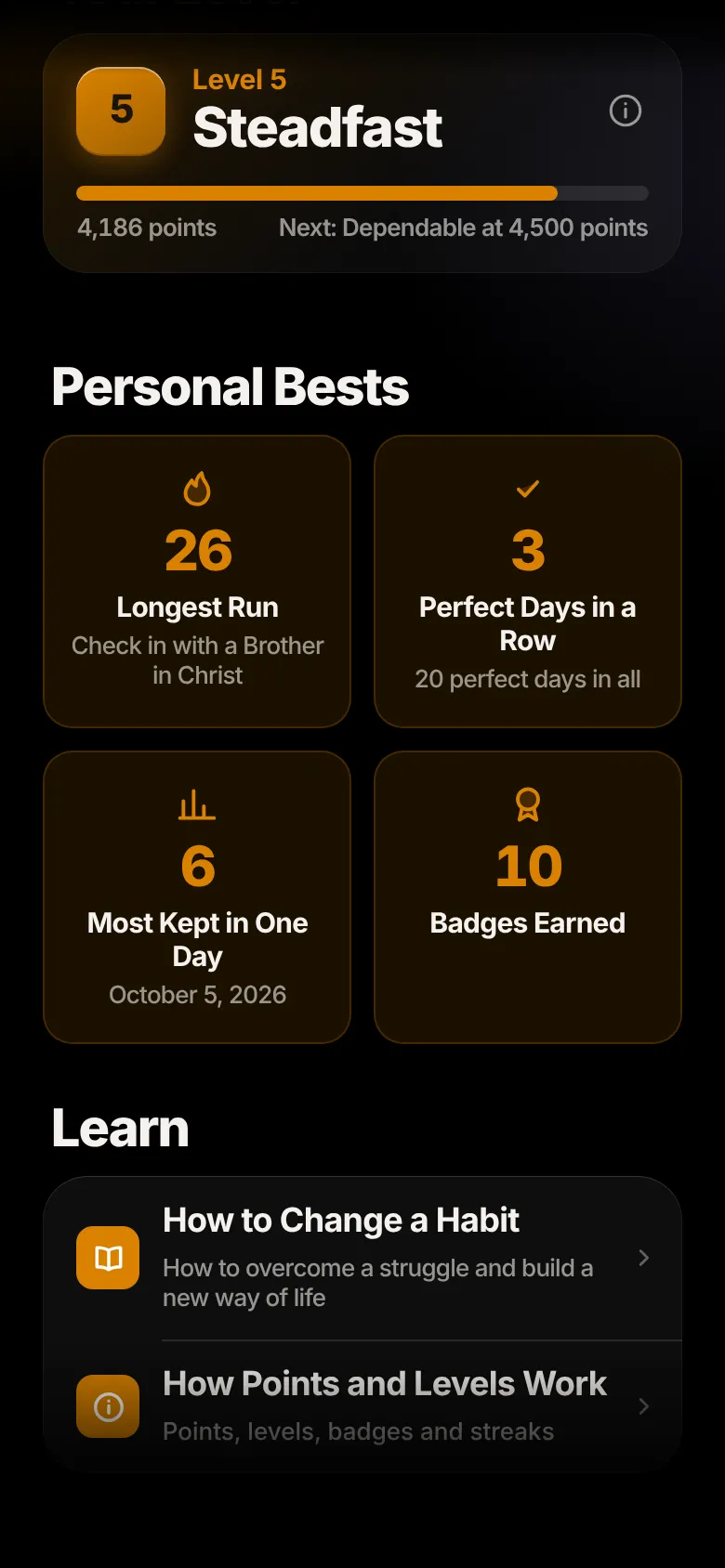
Every habit you keep earns points. Ten levels, from Beginner to Mentor.
Your longest run, perfect days in a row and badges you have earned.
For a habit you are fighting, help in the moment you need it most.
A short, hands-on lesson on how to overcome a struggle and build a new way of life.

Your points and levels never reset. And your worth was settled before you began.
Health
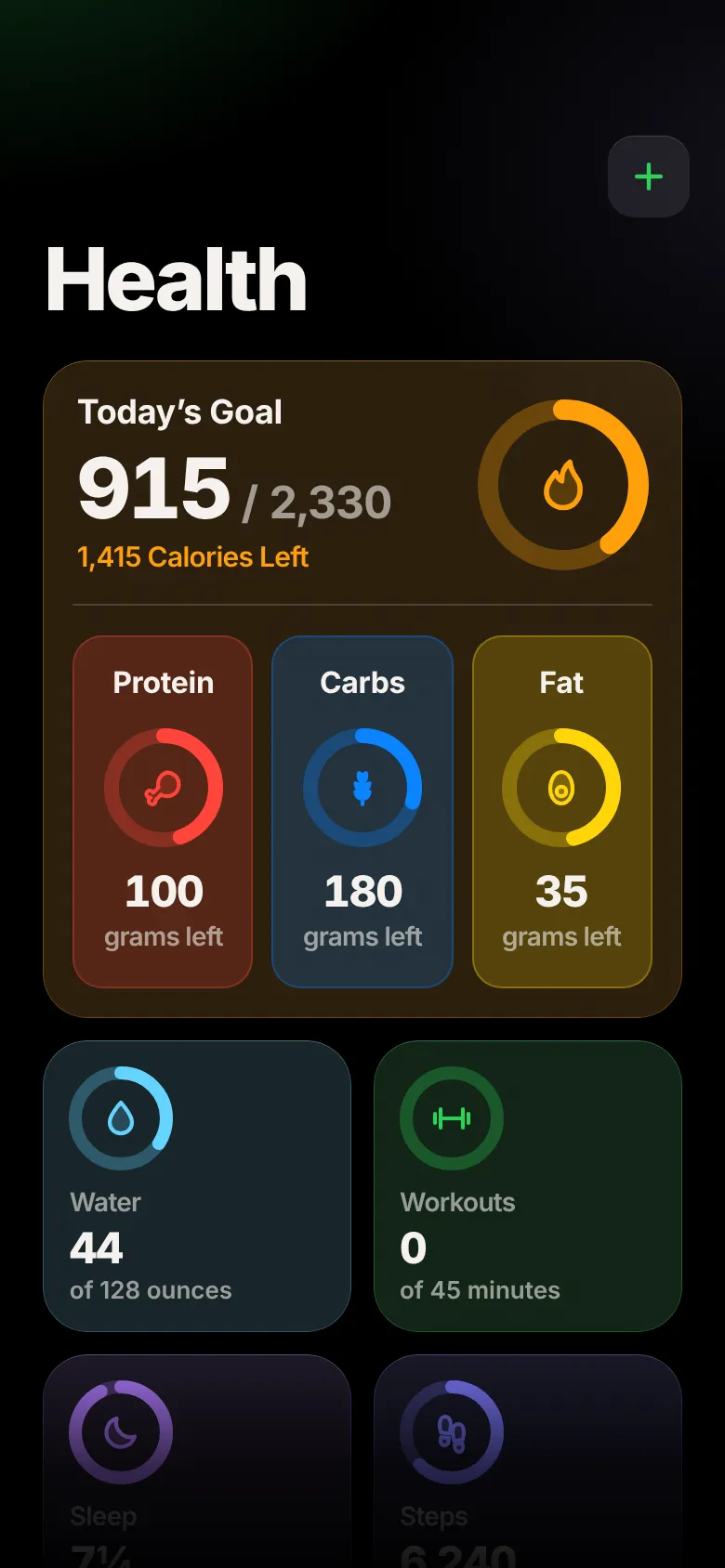
Your body is how you serve the people God gave you. A calorie and protein target worked out from your own numbers, food logged in seconds, workouts that show what to try next, and the rest that makes it all work.
Search everyday foods, the menus of 148 restaurants and over 200,000 brands, or scan a barcode. Save the meals you eat often.
Last night at a glance and the past seven nights against your goal. With a watch, see your deep, core and dreaming sleep and a Sleep Score.
Over a thousand exercises with how each one moves. Routines, rest timers and what to try next time.
Fast with a plan, pray through it and see how far you have come.
Your goal progress, and pictures only you can see.
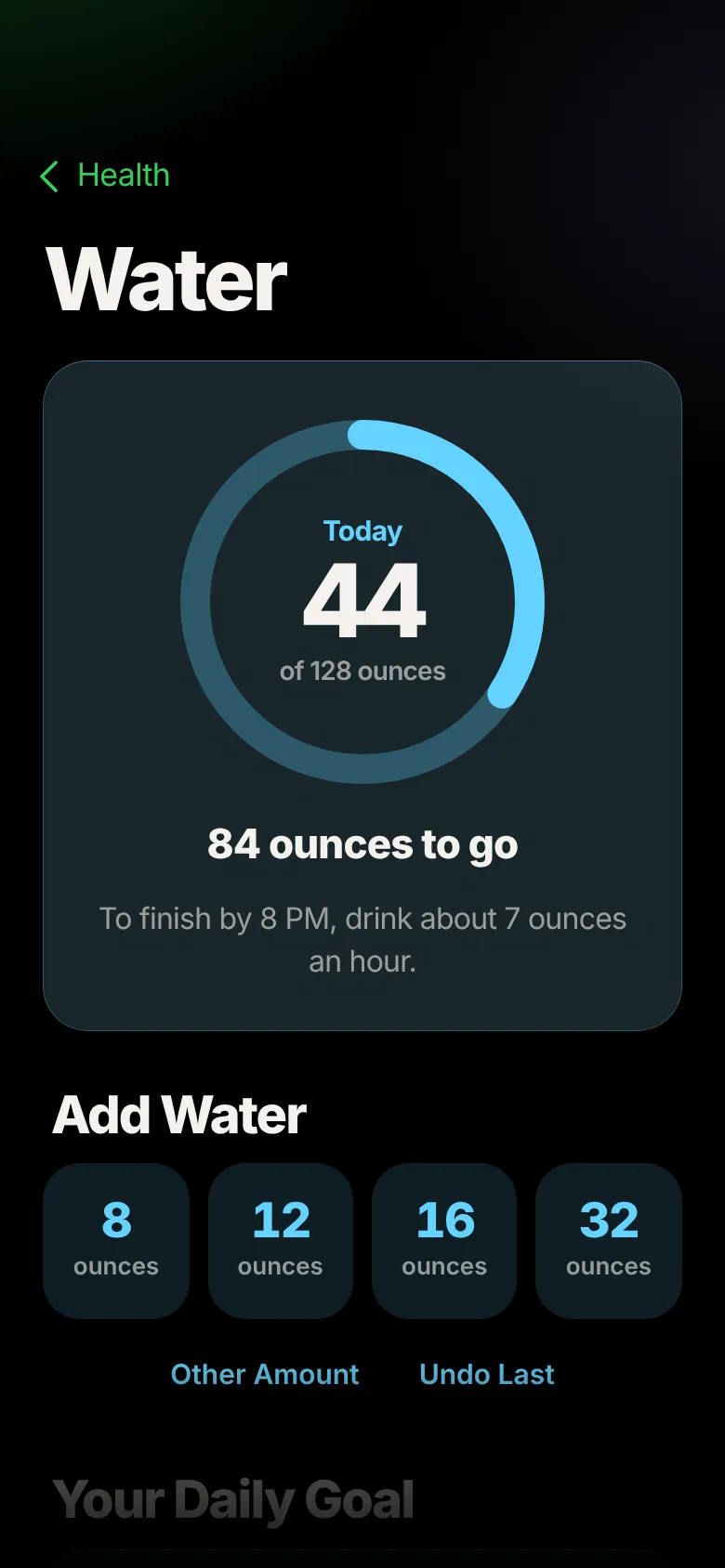
Each has its own page with a plan for the rest of the day: how much to drink each hour to finish by evening, and short walks to reach your steps.
Miti reads your steps, sleep, active calories, workouts and weight, and saves the workouts, weight, food and water you log back to Apple Health. What it reads stays on your phone.
“For bodily exercise has some value, but godliness has value in all things, having the promise of the life which is now, and of that which is to come.”
1 Timothy 4:8
Weekly Review
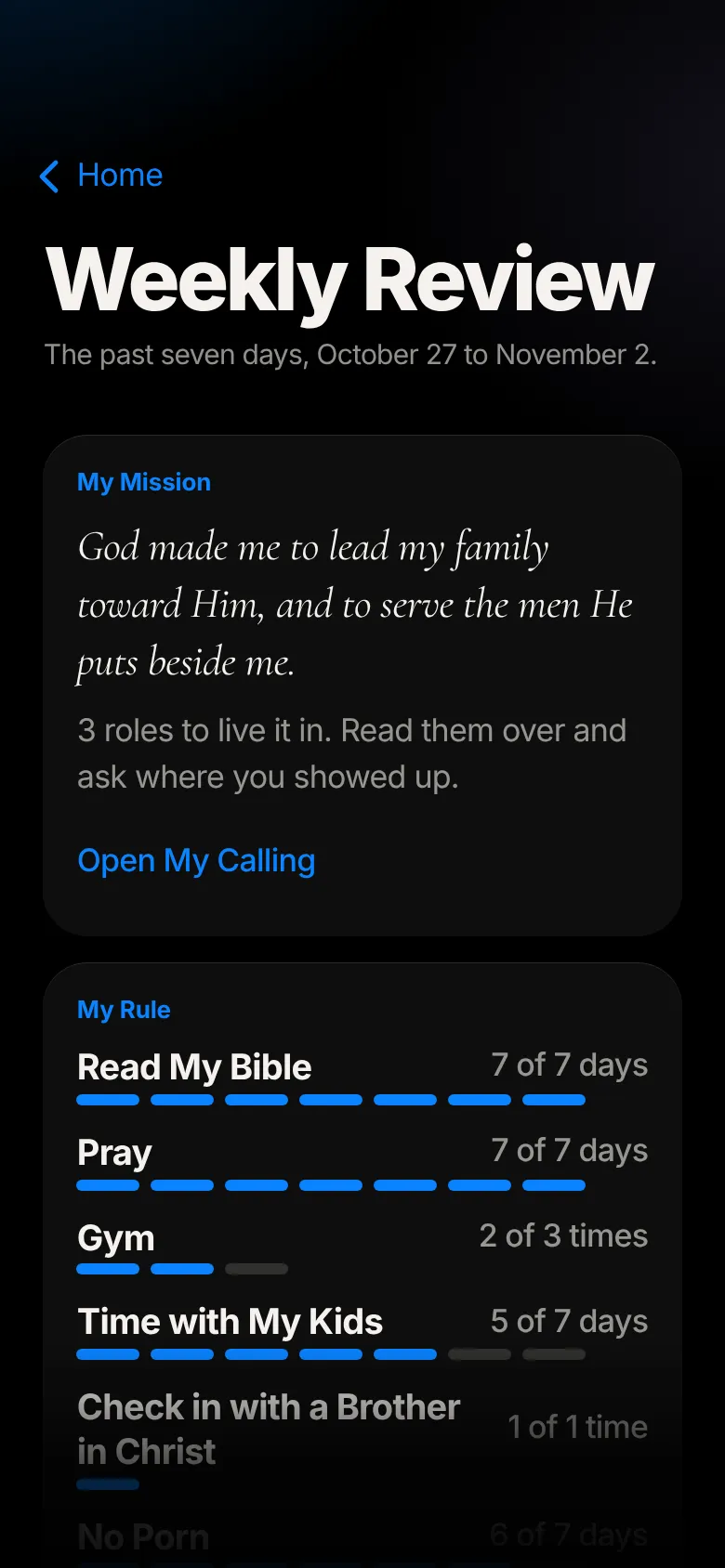
Every Sunday, Miti lays out the past seven days in one place: your mission, your Rule, your reading and prayer, your journal and your health. Then it gives you one question to take to God for the week ahead.
It only shows what you did. Keep what helps, and let the rest go.
Every part of Miti, in one app.
Apple Watch
Start a routine on your wrist, log every set with the Digital Crown, rest between sets and change the song, all without taking out your iPhone. When you finish, your workout is saved to Miti and to Apple Health.
Bench Press
Set 2 of 4
Last time 185 pounds × 8
Rest
1:12
44ounces
84 ounces to go
Tap the weight or the reps and turn the Crown. It pauses on the weights gyms actually have, so 135, 185 and 225 are easy to land on.
A rest timer starts after each set, with your heart rate at the top of the screen and what you lifted last time underneath.
Swipe over to pause, skip or turn up whatever is playing, from Apple Music, Spotify or any other app.
Check off today’s habits and add water from your wrist, with the same choices you have on your iPhone.
Add the Verse of the Day, your mission or the habits you have kept today to the watch face you already wear.
iPad
On iPad, Miti opens up. The Bible fills the page, your journal waits under Apple Pencil, and Miti sits beside your other apps while you study.
The same ink as Apple Notes: pen, marker, pencil and eraser, pressure and tilt, and a double-tap on the Pencil to erase.
Lined, grid, dotted or blank, on white, cream, yellow or black paper. Open a page again later and keep writing.
Miti reads your handwriting on your iPad and adds it to the entry as text, so you can find it later.
Keep Miti open next to Notes or Safari, in portrait or landscape, at whatever size you like.
Read a whole chapter at a glance, on the page color you like best.
Apple Intelligence
With Apple Intelligence, Miti helps you go further: one honest question that takes your journal entry deeper, and help putting your mission into words. It runs entirely on your device. Nothing you write is sent anywhere for it, and it costs you nothing.
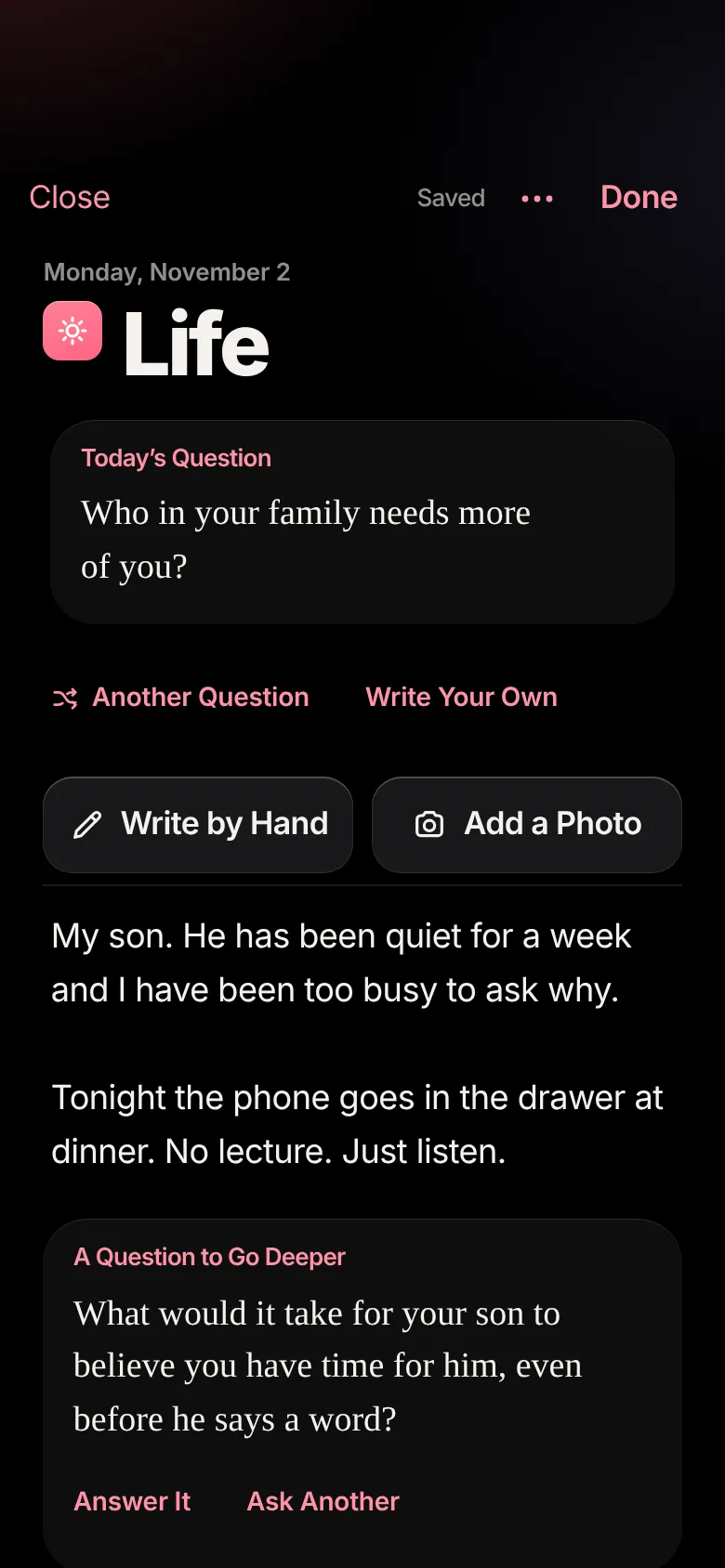
Write a few lines, then tap. Miti reads what you wrote and asks one question about it: what is underneath, where God is in it, or what it asks of you. Answer it right there, or ask for another.
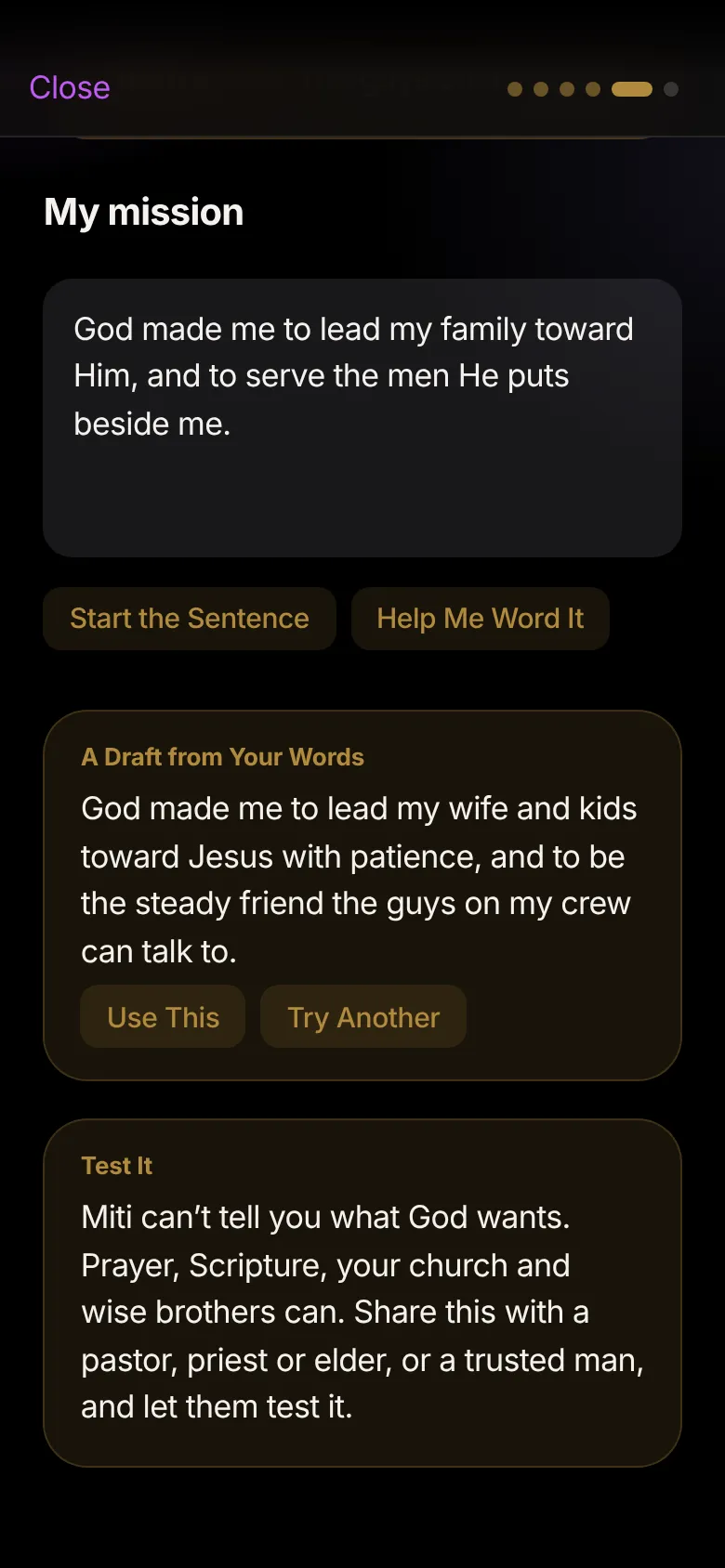
When you reach your mission in My Calling, Miti drafts one sentence from what you already wrote about your roles, your gifts and the people in front of you. Keep it, change it or try another.
Needs an iPhone or iPad that supports Apple Intelligence, running iOS 26 or iPadOS 26 or later, with Apple Intelligence turned on in Settings. Everything else in Miti works on any iPhone or iPad.
Built for Apple
Miti is built from the same parts as the apps that come with your iPhone. It opens as its name glides into place, and from there everything works the way you already expect.
Put your mission, the Verse of the Day or the habits you have kept today on your Home Screen and Lock Screen.
Lock your journal so it opens only for you.
Pick a workout, a place you went, time with someone or photos from your day, and begin your journal there. On iPhone.
Just ask. Siri knows Miti from the day you install it.
A Morning Offering, Review the Day at night and the Weekly Review on Sunday, at the times you choose.
Steps, sleep and workouts come in from your iPhone and Apple Watch. What you log in Miti goes back out.
The real iOS 26 tab bar, glass that bends the light beneath it and takes on the color of each part of Miti.
In the gym, on a plane or out in the hills, Miti keeps working, and saves what you add once you are back online.
One tap, and you can keep your email to yourself.
Miti follows Dark or Light Mode and grows with the text size you choose in Settings.
Privacy
This is between you and God. Nothing you write or track is shown to anyone else.
Every Christian Welcome
Men from every Christian tradition pray here. Every prayer names who wrote it, so you always know whose words you’re praying. Scripture is the World English Bible.
Miti for iPhone, iPad and Apple Watch
One app for your iPhone and iPad, with a companion app for Apple Watch. Free to download, private to you, and no ads.

Start with one honest day. Read, pray, write a page and keep your word. Then do it again tomorrow.